
X (Twitter) 2FA: How to Set Up an Authenticator App
Two-factor authentication keeps your X account, including your posts, messages and followers, safe even if someone gets hold of your password. X supports codes from an authentication app, and Authenticator App - Novaz can link to it right from the X app.
A hijacked X (Twitter) account can be used to impersonate you and scam your contacts, so 2FA matters. Besides an authenticator app, X (Twitter) also offers SMS text codes and security keys. An authenticator app (TOTP) is usually the best balance of security and convenience — and it's safer than SMS codes, which can be intercepted through SIM-swap attacks. For the strongest protection, X (Twitter) also supports hardware security keys.
2FA methods X (Twitter) supports
- SMS text message
- Authenticator app (TOTP)
- Security key (U2F / WebAuthn)
Before you start
- The X app, signed in to your account
- Authenticator App - Novaz installed on the same iPhone or iPad
- Your X password, or access to the email address on your account
- A safe place to keep the backup code X gives you
Part 1: Turn on 2FA in X (Twitter)
- 1
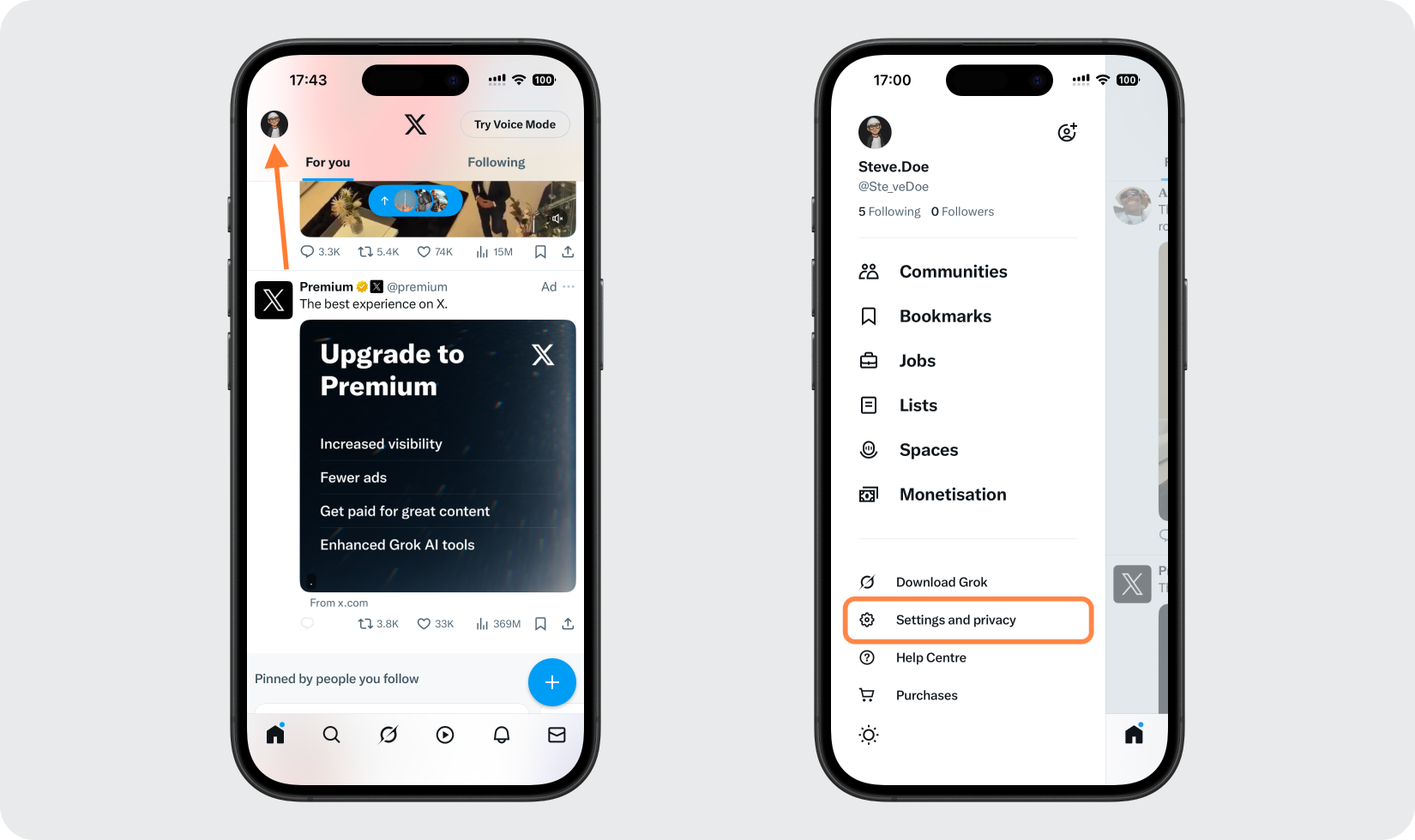
Open Settings and privacy
In the X app, sign in and then tap your profile photo. Pick "Settings and privacy" from the sidebar.
- 2
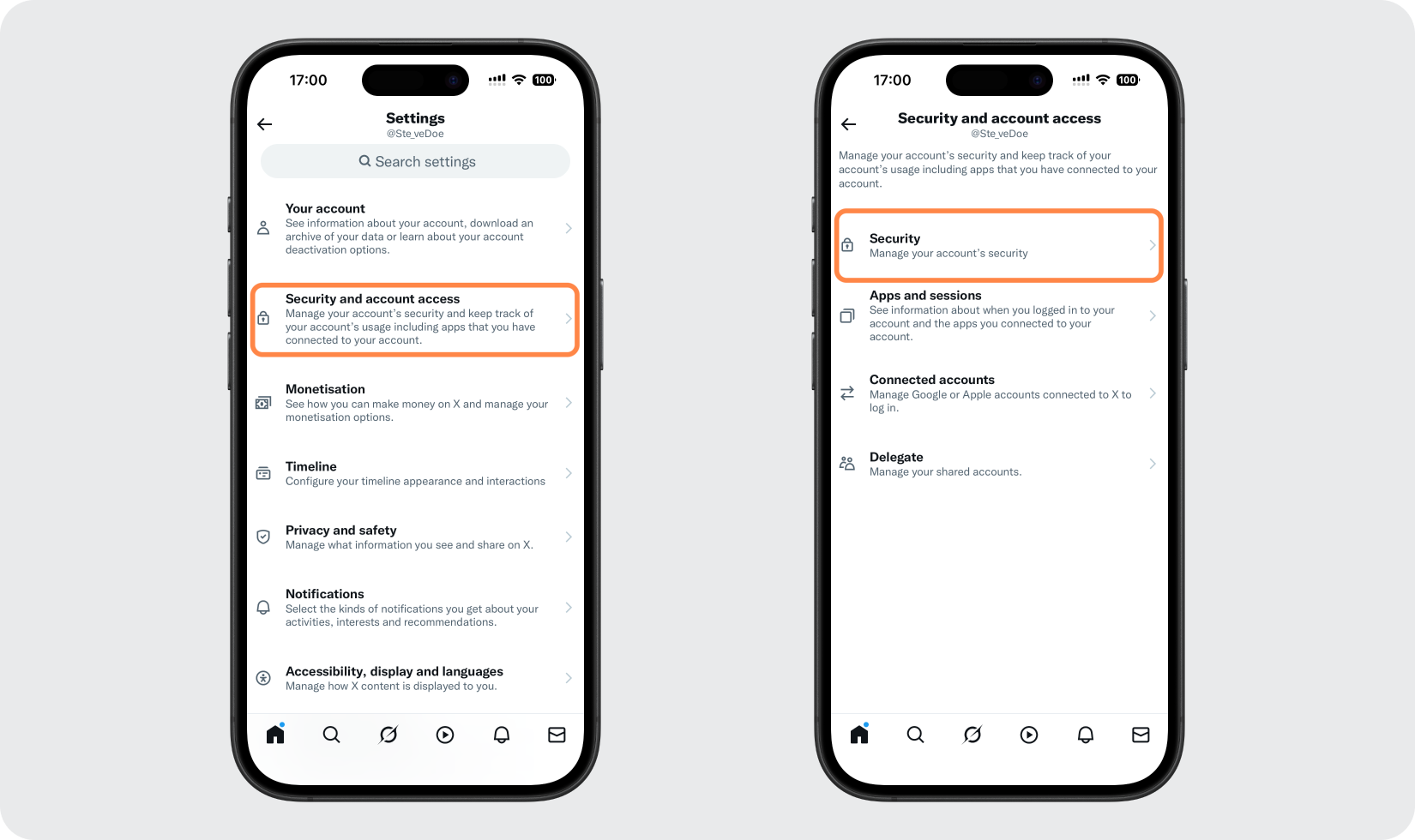
Go to Security
Next, open "Security and account access" and pick "Security" from there.
- 3
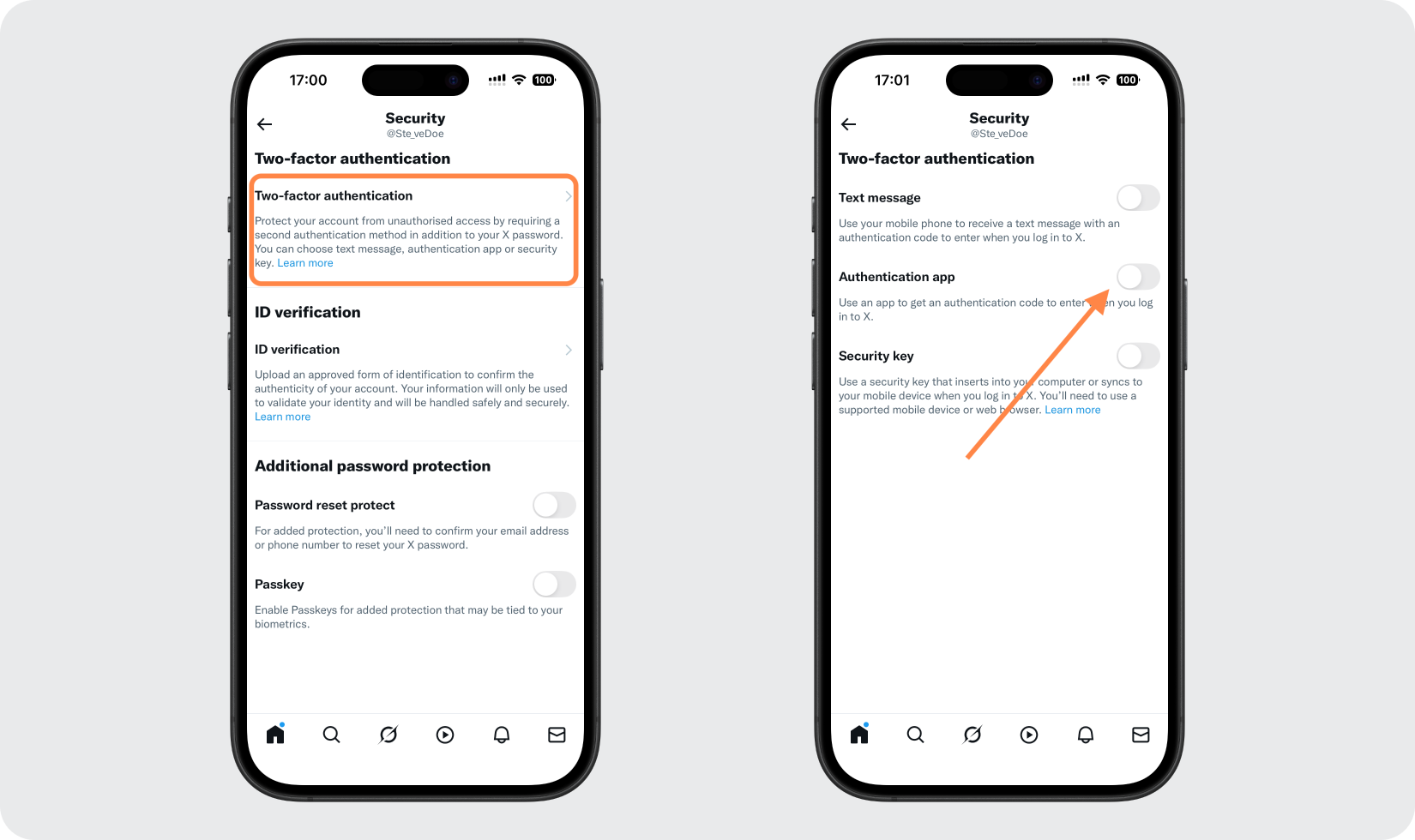
Turn on Authentication app
Choose "Two-factor authentication" and switch on the "Authentication app" toggle.
- 4
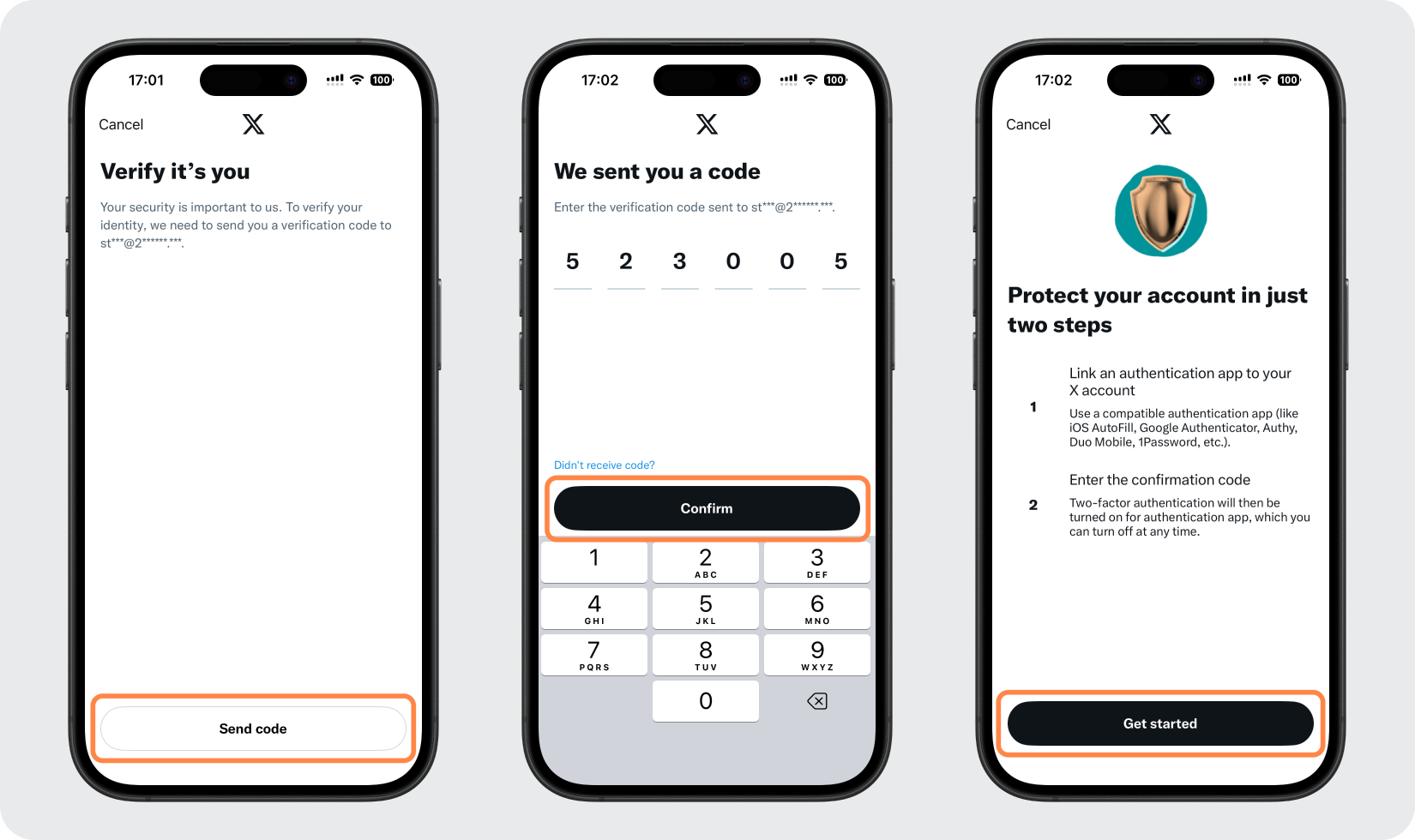
Verify it's you and get started
X asks you to confirm your identity, either with your account password or with a code it emails you. After that, tap "Get started".
Part 2: Add X (Twitter) to Authenticator App - Novaz
- 5
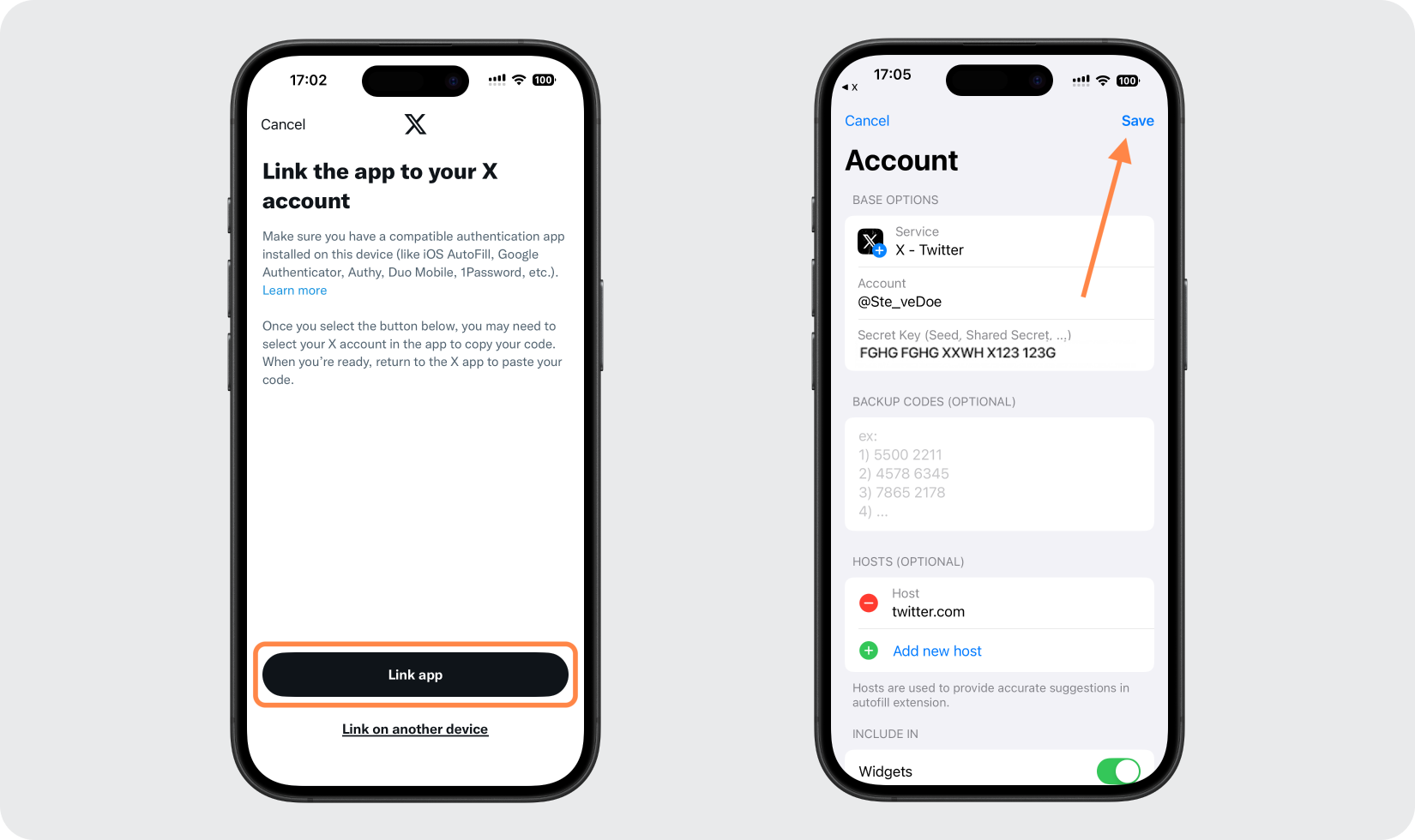
Link X to Authenticator App - Novaz
Tap "Link app". Authenticator App - Novaz opens with your X account details already in place; tap "Save".
Part 3: Confirm and finish
- 6
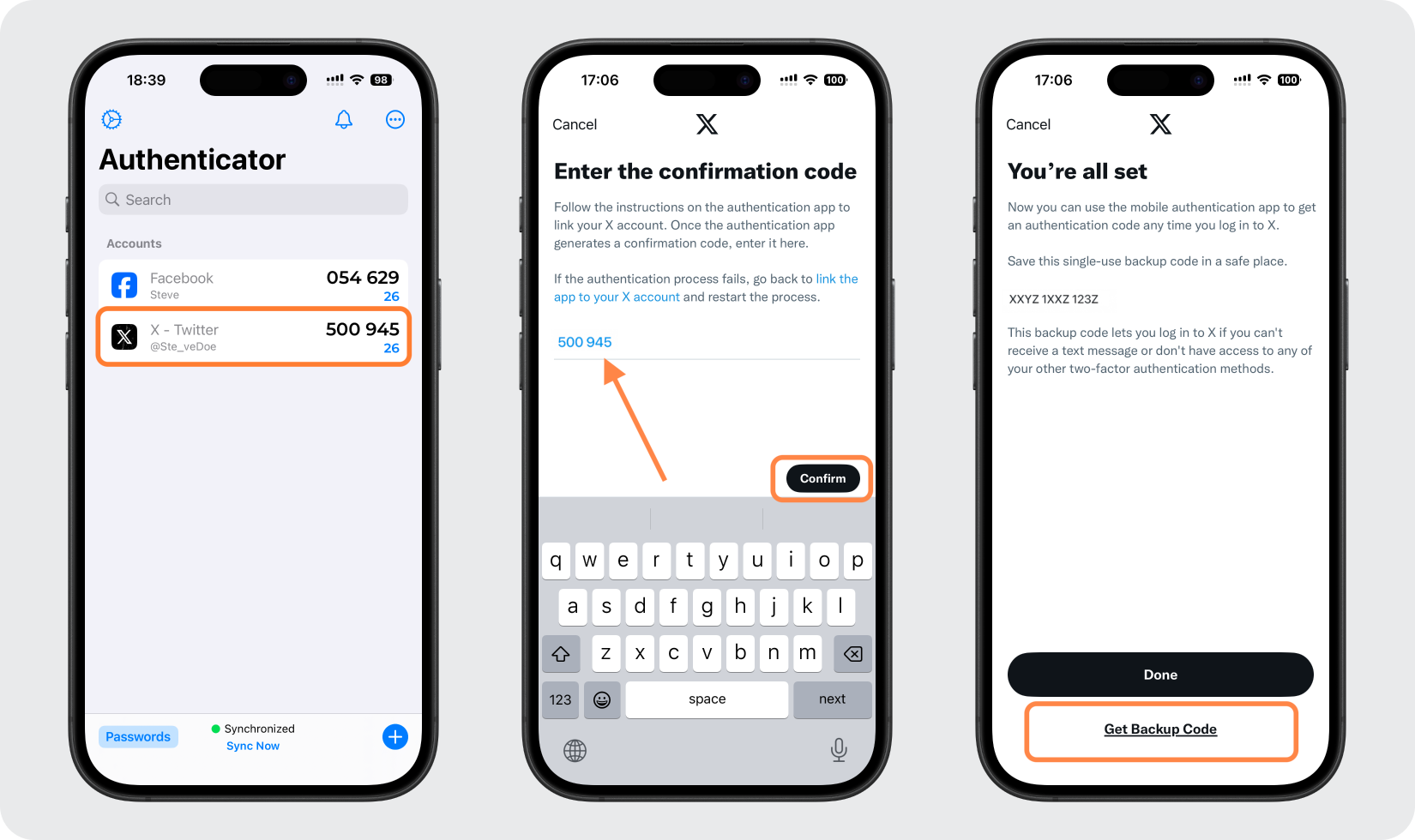
Copy the code and confirm
Authenticator App - Novaz now shows a code for X. Tap it to copy, return to X, paste it into the field, and tap "Confirm". When setup finishes, X offers a "Get Backup Code" option.
- 7
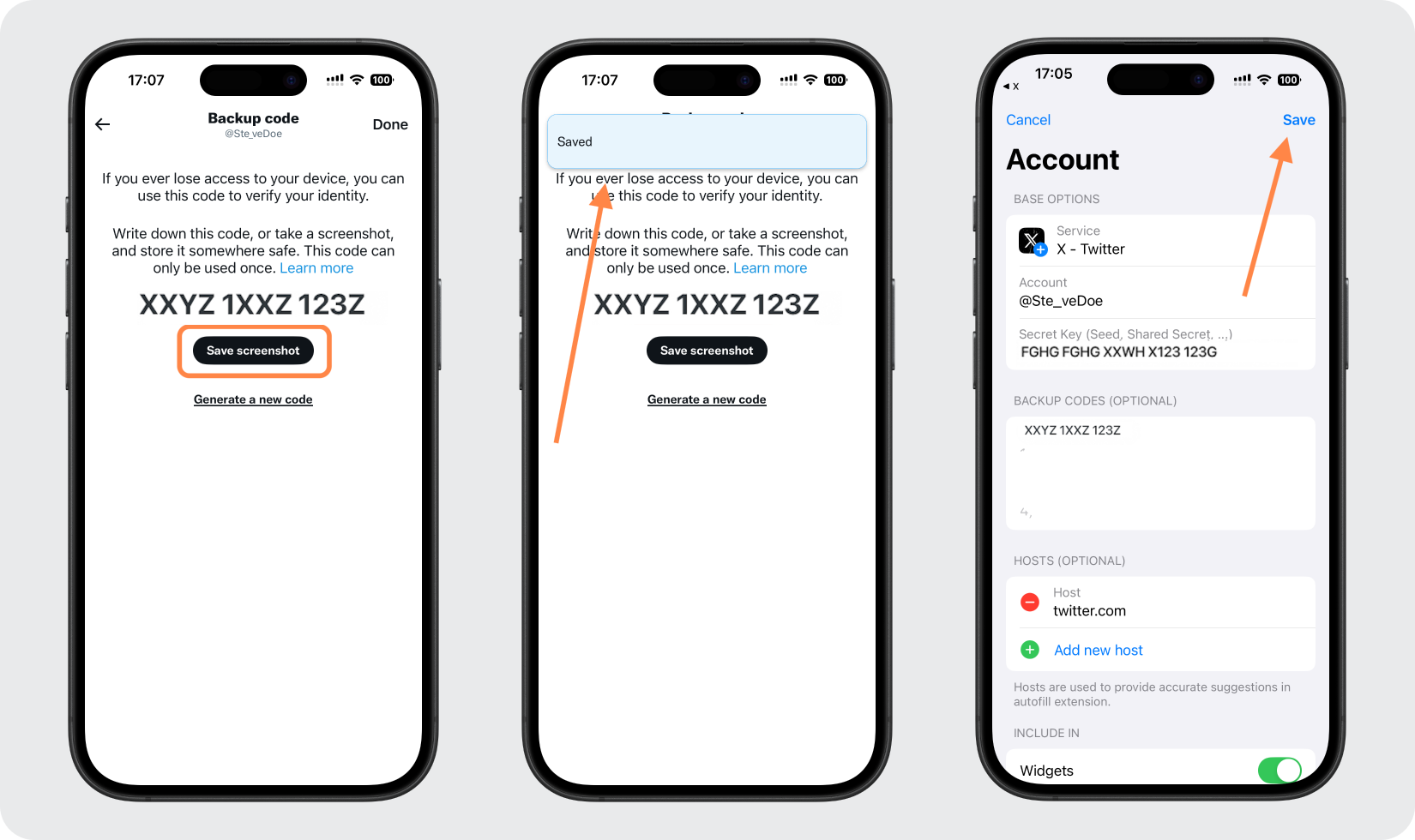
Keep your X backup code
Tap "Save Screenshot" and a confirmation pop-up appears. Put the backup code somewhere safe so you can still sign in if your 2FA codes are ever out of reach. Authenticator App - Novaz can hold it too: add it under "Backup Codes" in the X account's settings inside the app.
If something goes wrong
- If "Link app" doesn't open Authenticator App - Novaz, make sure the app is installed on the same device you're using X on.
- X says the code is incorrect? Set your iPhone's date and time to update automatically, then copy a fresh code.
- If the code expires before you tap "Confirm", wait for the next one and paste that instead.
- Lost access to your phone? Sign in with the X backup code you saved.
Menu names on X (Twitter) can change — the official X (Twitter) 2FA documentation ↗ always has the exact, current path.
How to recover your X (Twitter) account
If you lose access to your authenticator and X (Twitter) gave you backup or recovery codes when you turned on 2FA, sign in with one of them; keep them somewhere safe, away from your phone. Not every service issues codes. If X (Twitter) doesn't, or you didn't save them, use X (Twitter)'s account-recovery or support process (or ask your admin, for a work account) to get back in.
Frequently asked questions
- Does X (Twitter) work with authenticator apps like Authenticator App - Novaz?
- Yes. X (Twitter) supports TOTP authenticator apps, so you can generate its two-factor codes in Authenticator App - Novaz.
- Is X (Twitter) two-factor authentication free?
- Yes. Enabling authenticator-app 2FA on X (Twitter) is free — you only need the free Authenticator App - Novaz.
- What if I lose access to my X (Twitter) 2FA codes?
- If X (Twitter) gave you backup or recovery codes during setup, sign in with one of them. If it didn't, or you didn't save them, use X (Twitter)'s account recovery or contact its support (or your admin, for a work account), then add the account to Authenticator App - Novaz again.
- Should I use an authenticator app or a security key on X (Twitter)?
- X (Twitter) supports both. An authenticator app like Authenticator App - Novaz is free and works on any phone; a hardware security key adds phishing resistance. You can enable both.
Generate your X (Twitter) codes in Authenticator App - Novaz
Free, offline, and encrypted. One tap for every 6-digit code.
Get the appMore Social guides




Novaz is not affiliated with, endorsed by, or sponsored by X (Twitter). X (Twitter) and its logo are trademarks of their respective owner and are used here for identification only.